
In iOS 27, new iCloud Shared Albums keep photos and videos at full resolution, but everything in them, including photos grandparents add, counts against the album owner's iCloud storage. Albums made before iOS 27 keep the old rules until you upgrade them. For a family baby album, choose the owner carefully and decide who can add photos.
Many families have run a grandparents' album for years without thinking about storage. iOS 27 changed that in September 2026. The details below come from Apple's support pages, checked on 15 Oct 2026. This page covers Shared Albums only. To choose between a Shared Album and iCloud Shared Photo Library, see iCloud Shared Library vs Shared Album.
What are the new limits for iCloud Shared Albums?
Shared albums created in iOS 27 or later store every photo and video in its original format at full resolution, and those files count toward the owner's iCloud storage, according to Apple's Shared Albums limits page (published 14 Sep 2026, checked 15 Oct 2026). Before iOS 27, shared albums didn't count toward iCloud storage but cut photos down to 2,048 pixels on the long edge.
Here are the limits Apple lists on that page, as of 15 Oct 2026.
| Shared album created in iOS 27 or later | Shared album created in iOS 26 or earlier | |
|---|---|---|
| Photo quality | Original format, full resolution | Reduced to 2,048 pixels on the long edge (panoramas up to 5,400 pixels wide) |
| Video | Apple's page lists no length or quality limit | Up to 15 minutes, delivered at up to 720p |
| Counts toward iCloud storage | Yes, the owner's, including what participants add | No |
| Photos and videos per album | No limit beyond the owner's available iCloud storage | 5,000 from all contributors combined |
| People | Up to 100 participants, including the owner | Up to 100 subscribers per album |
| Albums | No limit beyond the owner's storage | An owner can share up to 200 albums |
MacRumors reported the same change on 20 Aug 2026, before Apple's page was updated.
Who pays for the storage in a shared baby album now?
The album owner pays. Apple's guide to creating shared albums says the organizer of a shared album provides the iCloud storage for its content, and the limits page adds that photos and videos participants add to your album count toward your storage too.
For a baby album, that usually means one parent's iCloud plan now carries every photo the grandparents, aunts and uncles add. Apple gives every account 5 GB free, and paid iCloud+ plans in the US cost $0.99 a month for 50 GB, $2.99 for 200 GB, $9.99 for 2 TB, $29.99 for 6 TB and $59.99 for 12 TB, according to Apple's iCloud+ plans and pricing page (published 16 Sep 2026, checked 15 Oct 2026).
If the owner runs out of space, new photos stop going in. Apple's guide to contributing to a shared album says that if you see "Items Not Shared" after adding content, you should ask the album organizer to check they have enough iCloud storage.
What happens to a baby album you made before iOS 27?
Nothing, unless you upgrade it. Apple's Upgrade your shared albums page (published 14 Sep 2026, checked 15 Oct 2026) says albums created on earlier software stay the same unless you upgrade them, so they keep the old limits in the table above and use no iCloud storage.
To upgrade, open Photos, tap Collections, tap Shared Albums, tap the album, tap the More button, then tap Upgrade Shared Album. These things change, according to the same Apple page.
- New photos and videos are shared at their original resolution.
- Photos already in the album don't count toward your storage. New items count toward the owner's storage, whoever adds them.
- The album opens only on iOS 27, iPadOS 27, macOS 27 or later, or on iCloud.com from any device. Participants on older software have to update or use iCloud.com.
- Apple keeps a copy of the old album in Shared Albums settings for six months, then deletes it permanently. You can recover that copy during those six months.
An upgrade makes sense for an old baby album that has hit the 5,000-item cap, or when you want full-quality photos from now on. It doesn't make sense if a grandparent's iPad can't update to iPadOS 27 and they don't use a web browser for photos.
Can grandparents without an iPhone see the album?
Yes, in a new or upgraded album. Apple's upgrade page says friends and family can join and contribute their own photos on the web, even without an Apple Account or Apple device, though not every feature is available in every country or region. An album created before iOS 27 that you haven't upgraded can only be opened in a browser if you turn on Public Website, and Apple's iOS 26 guide says anyone with that link can then access the album.
When you set up the album, Apple's create shared albums steps offer two sharing options, People You Choose or Anyone with the Link. For a baby album, People You Choose is the safer choice. Apple says that if the link reaches someone you didn't invite, they can request access, and you can grant or deny the request.
Is a temporary shared album enough for baby photos?
Only for a single event. Apple's page on temporary shared albums (published 6 Oct 2026, checked 15 Oct 2026) says they don't use iCloud storage, hold up to 5,000 photos and videos, and expire after 30 days. Anything not saved to someone's library by then is deleted. You need iOS 27 or later to create or view one.
A temporary album works well for collecting everyone's photos from a first birthday party or a baptism. Each person saves what they want before day 30. If you want to keep the album, turn off Make Album Temporary, and from then on it counts toward your storage.
How should parents set up a grandparents' album in iOS 27?
Make a few decisions before the first photo goes in.
- Pick the owner with the most iCloud storage. Every photo in a new album counts against the owner's plan, so the parent with the larger plan should create the album.
- Decide who can add photos. By default, everyone you invite can add photos and videos, according to Apple's guide to adding and removing people. To change that, open the album, tap the Manage Shared Album button, tap a person, then tap Can View and Comment. A grandparent set to Can View and Comment can look and comment but can't add photos, so nothing lands on your storage. Can Manage Album and Photos also lets that person delete photos others added, so keep it for the other parent.
- Invite people by name. When you create the album (Photos, Collections, Shared Albums, then the Add button), tap Sharing Options and choose People You Choose rather than Anyone with the Link.
- Leave a working old album alone. If your pre-iOS 27 album is well under 5,000 items and everyone can open it, it still works and still costs no storage. Its photos are reduced copies, so keep the originals in your own library.
- Use a temporary album for events. Party photos from every guest can go in a 30-day album that doesn't use your iCloud storage.
- Keep originals in your library. Apple says photos saved from a shared album to your library stay there even if the album is deleted or the owner stops sharing it. Use the album to share, and keep your own copy of every photo in your library.
When is a shared album the wrong tool for baby photos?
A shared album is the wrong tool when you want both parents' photos to land in one place without anyone choosing them. A shared album holds only what someone remembers to add. For two parents, Apple's iCloud Shared Photo Library can add photos from the camera automatically, and our side-by-side guide to iCloud Shared Library vs Shared Album covers which one fits. If you want every option for keeping one set of photos between two phones, including Google Photos and AirDrop, see how two parents can keep one set of baby photos.
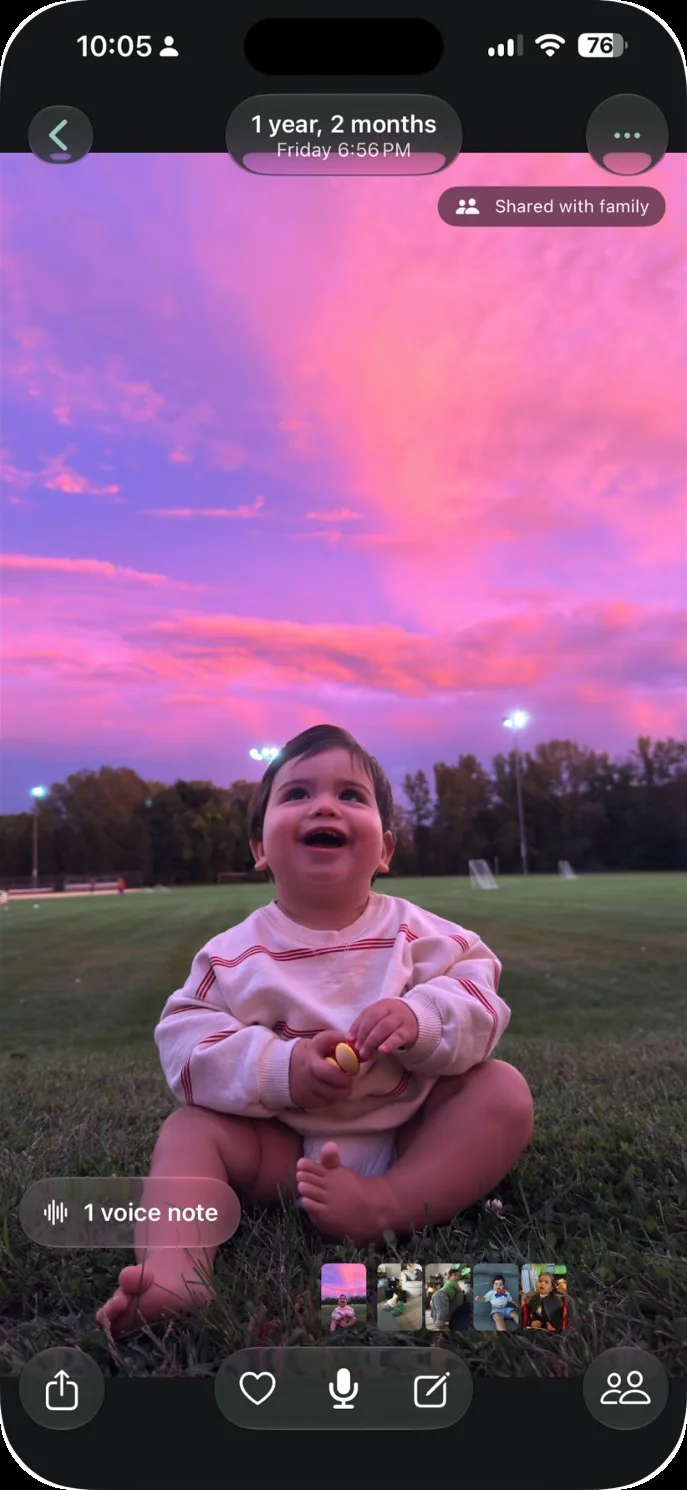
The app we make: Our Little World is a private baby book app for iPhone and iPad. It finds your child in the photos on your iPhone and lays them out month by month. Two parents share one family space. Grandparents and family members you invite can view what's shared with them, never face data. The Family plan includes two invited family members, as our pricing page shows, and our page for grandparents explains how that works. Our Little World is not for every family. It doesn't run on Android or in a web browser, so a grandparent without an iPhone or iPad can't use it. It doesn't print books, and it has no free plan, only a free trial.