
Allow Photos access
The app reads your library on your iPhone, from your child’s birthday onward. You can change access in Settings at any time.
For the baby book you meant to make
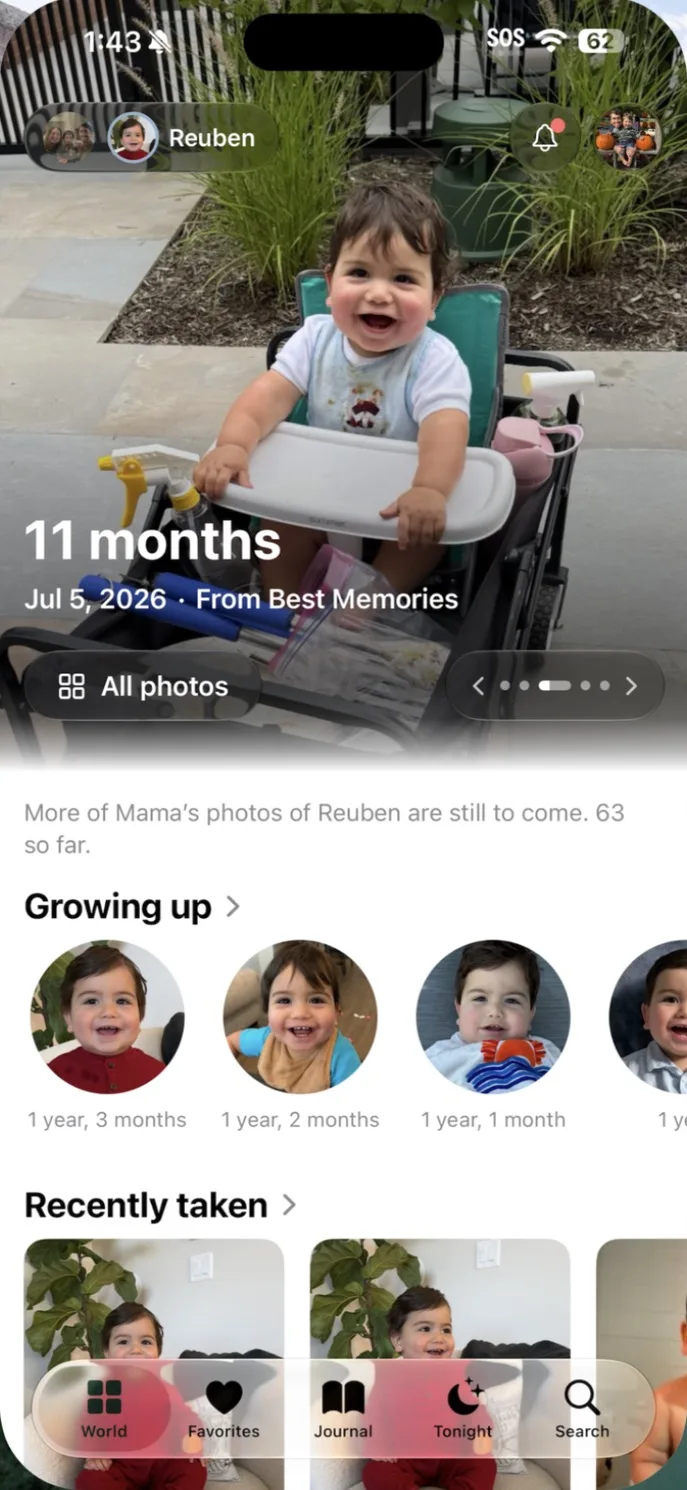
Our Little World finds your child’s photos and videos in Apple Photos on your iPhone and sorts them by age, by month and by day. You add a line, a voice note or a First only when you want to.
Organized on your iPhone · You confirm who your child is · No public feed
How it works
The app reads your library on your iPhone, from your child’s birthday onward. You can change access in Settings at any time.
It shows you a few faces from each month and you say which are your child. It doesn’t decide who your child is on its own.
Best Photos, Smiles, By age, Your days and Month by month are ready to look through. Nothing is uploaded to do it.
What you can add
Record what they were saying, right on the photo or video it belongs to.
Mark a first from the photo it happened in. The app never marks one for you.
Write to your child from any photo and seal the letter until a birthday.
Before you begin
No. There are no streaks, scores or queues to clear. Looking through their world is enough.
No. It sorts by the dates in your photos and the faces you confirm. Firsts and words come only from you.
No. Your photos stay in Apple Photos. Export everything saves a copy of what you added.
Our Little World
Up to 14 days free on iPhone and iPad. One plan covers both parents and every child.
Download on the App StoreGet the app
Download Our Little World for iPhone and iPad from the App Store.